
Business systems
5 signs your business has outgrown spreadsheets
When manual work starts costing more than better software.
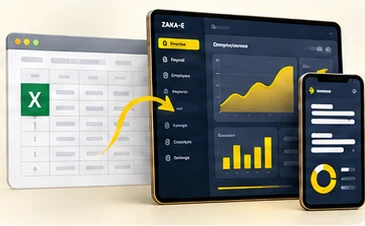
Spreadsheets are where most good businesses start. They are flexible, everyone has one, and they get the job done. The trouble begins when a spreadsheet quietly becomes your system: the place where orders, payroll, stock or approvals actually live.
There is no exact moment when that happens, but there are signs. If several of these sound familiar, the spreadsheet is now costing you more than it saves.
Five signs
There are several "final" versions
Report_final.xlsx, Report_final_v2.xlsx, Report_final_REAL.xlsx. When nobody is sure which file is current, every decision starts with a search and a doubt.
The same data is typed in more than one place
A new employee goes into the HR sheet, the payroll sheet and the leave tracker. Each copy is a chance for a typo, and over time the copies stop agreeing.
One person understands the formulas
If the person who built the workbook is away, the work waits. If they leave, the knowledge leaves with them.
You can't tell who changed what, or when
A number changed and nobody knows why. Spreadsheets rarely say who edited a cell, and anyone with the file can change anything in it.
Reports take days, and are still questioned
Pulling a monthly report means copying from several files, fixing broken links and checking it all by hand. Then someone asks where a figure came from.
What it is really costing you
The cost is rarely the price of software. It is the hours spent rebuilding and checking, the mistakes that reach customers or employees, the risk of the one file nobody else understands, and the growth you put off because the current setup can't take more volume.
What to do next
- Map the workflow on one page: who does what, in which file, in what order.
- Name one source of truth for each piece of data, so it is entered once.
- Decide between an existing product, a custom tool, or a better-organised spreadsheet. Not every problem needs new software.
- Start with the workflow that hurts most, not with everything at once.
- Keep exports to Excel: people still like spreadsheets for analysis, and that's fine.
Product, custom tool or a better spreadsheet?
- An existing product fits when your process is common, such as accounting, payroll or a shop, and you are happy to work the way the product does.
- A custom tool fits when the workflow is what sets you apart, or when it connects several things no single product covers.
- A better-organised spreadsheet is enough when the work is small, owned by one person and rarely changes.
What a good first step looks like
Pick the workflow that hurts most and move only that. Keep the data you already have, import it rather than retyping it, and run the old and new ways side by side for a month. When the new way is trusted, retire the old file, and keep an export to Excel for anyone who still wants to analyse the numbers.
The goal is not to get rid of spreadsheets. It is to stop running the business from one.
Key takeaways
- A spreadsheet becomes a problem when it quietly turns into your system of record.
- Duplicate data, one formula expert and no history of changes are the clearest warning signs.
- Start by mapping one painful workflow, then choose between a product, a custom tool or a better sheet.